
RecruiteX : Web Security Assessment Part 1 | Recon to IDOR Guided Pentest: Web (Part 1)

From Reconnaissance to Discovering an IDOR
Status: 🚧 Work in Progress
This write-up documents my learning journey through the Guided Pentest: Web room. This is Part 1, covering reconnaissance, technology fingerprinting, application mapping, and the discovery of an IDOR (Insecure Direct Object Reference) vulnerability. I'll update this write-up with the remaining exploitation steps after completing the lab.
Objective
Rather than jumping straight into exploitation, the goal is to understand how a real web application is assessed during a penetration test. Every piece of information gathered during reconnaissance helps build the attack path.
Step 1: Enumerating the Target
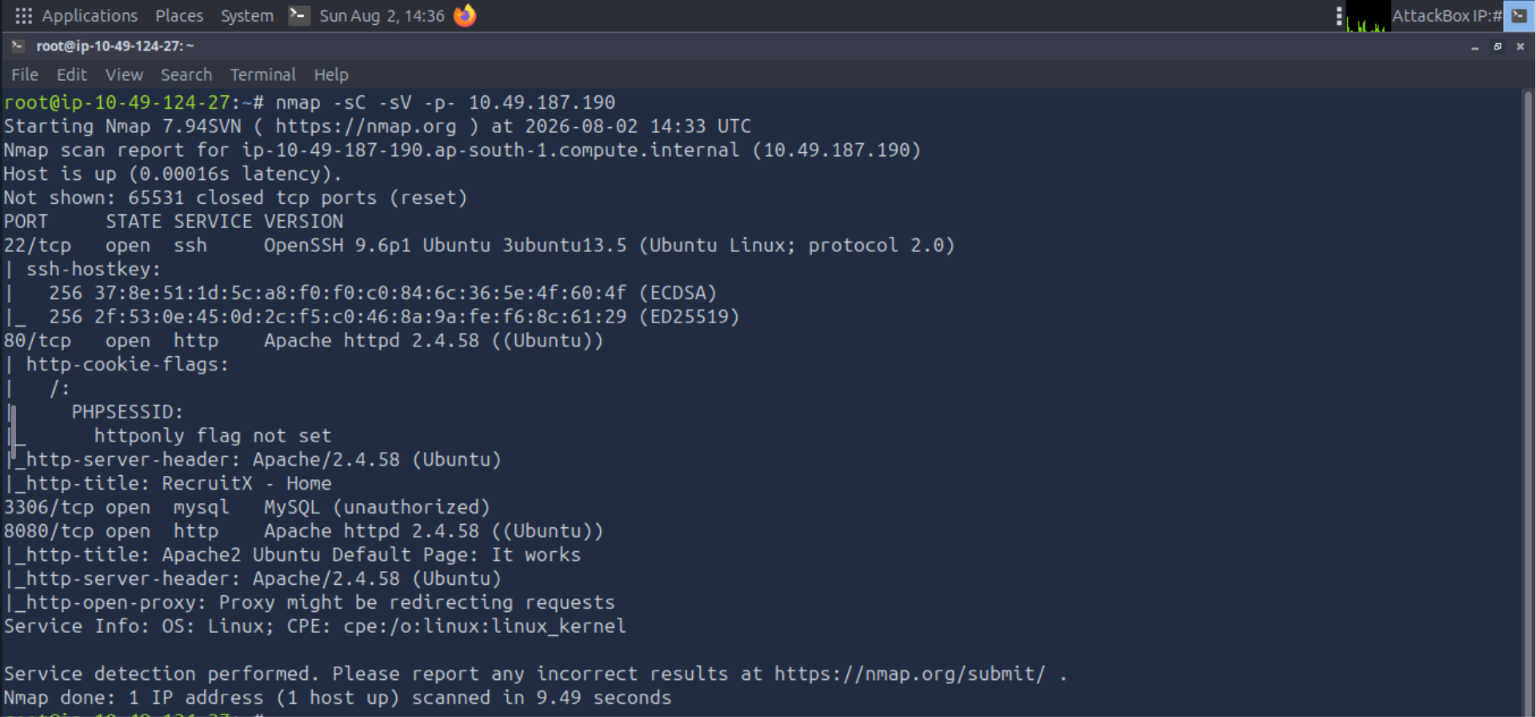
Every assessment begins by identifying the exposed services.
nmap -sC -sV -p- <TARGET_IP>
Key Observations
SSH service detected.
HTTP services running on ports 80 and 8080.
MySQL exposed on 3306.
At this stage, the objective isn't exploitation. It's simply understanding what technologies are available and what the potential attack surface looks like.
Screenshot: Nmap Scan Output
Step 2: Exploring the Application
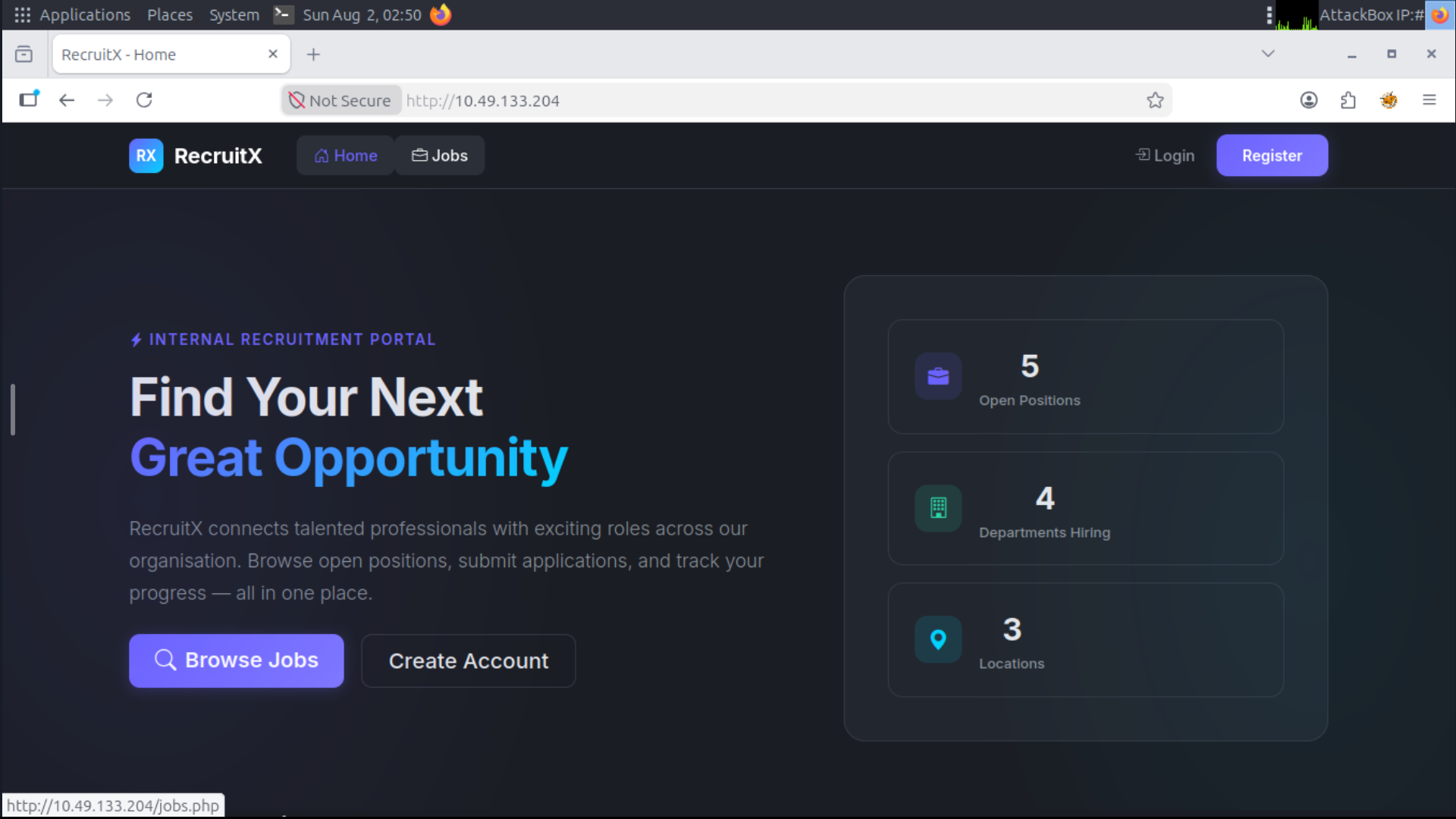
Before using any tools, spend time interacting with the website like a normal user.
Things worth observing:
Navigation menu
Login functionality
Available pages
URL structure
Overall application workflow
This helps create a mental map of the application before testing it.
Screenshot: Homepage
Step 3: Looking for Version Information
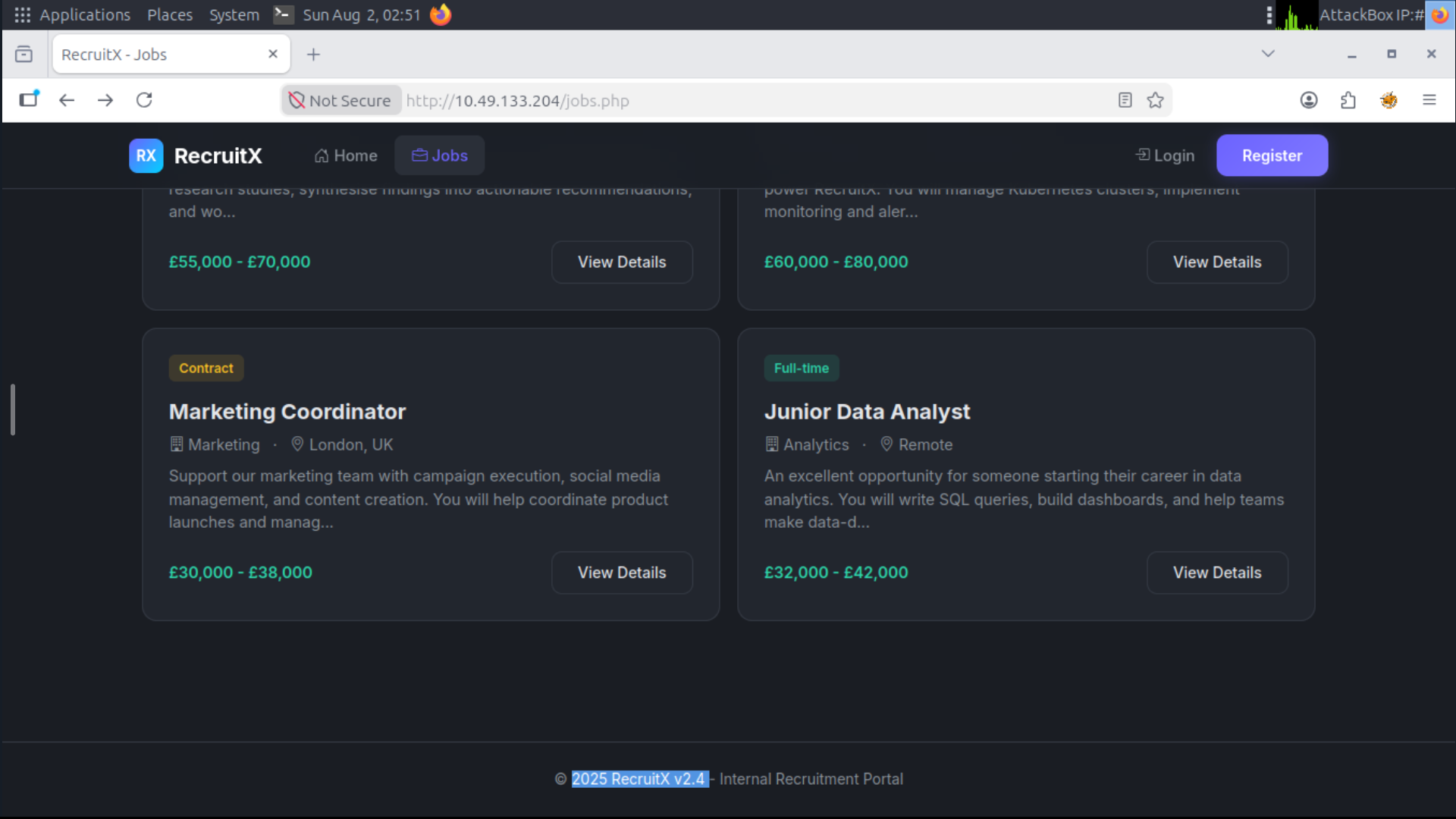
Many applications unintentionally reveal useful information in the footer.
The footer displays the application's version, which can later be checked against public vulnerability databases for known issues.
Screenshot: Website Footer
Step 4: Fingerprinting the Technology Stack
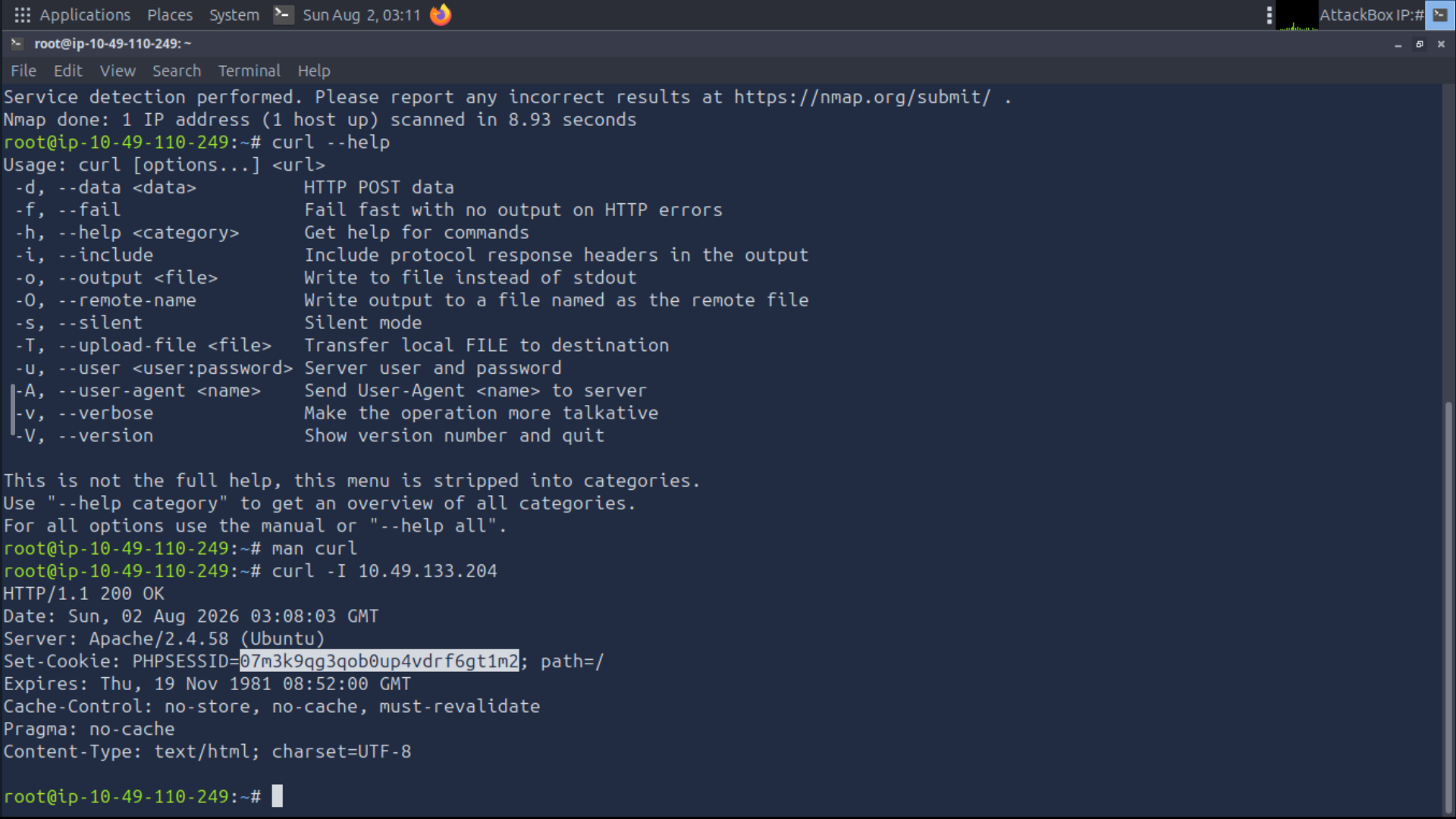
To verify the web server, inspect the HTTP response headers.
curl -I http://<TARGET_IP>
The response confirms:
Apache Web Server 2.4.58
PHP session management (
PHPSESSID)
Combined with the exposed MySQL service from the Nmap scan, the application appears to be running on a classic LAMP stack:
Linux
Apache
MySQL
PHP
Understanding the underlying stack helps predict how requests are processed and where vulnerabilities may exist.
Screenshot: curl Output
Step 5: Understanding the Request Flow
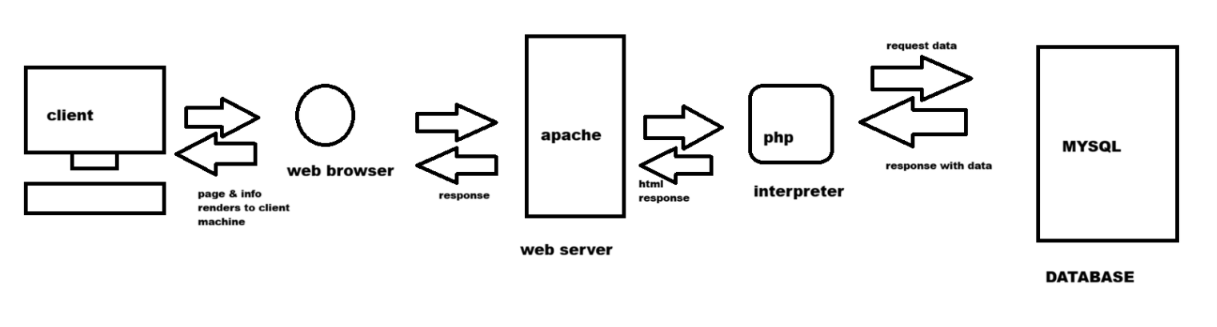
Before moving further, it's useful to understand how the application processes requests.
Browser
      ↓
Apache
      ↓
PHP
      ↓
MySQL
      ↓
PHP
      ↓
Apache
      ↓
Browser
Knowing this request flow provides context for later attacks involving authentication, database interaction, and server-side code execution.
Screenshot: Architecture Diagram
Step 6: Directory Enumeration
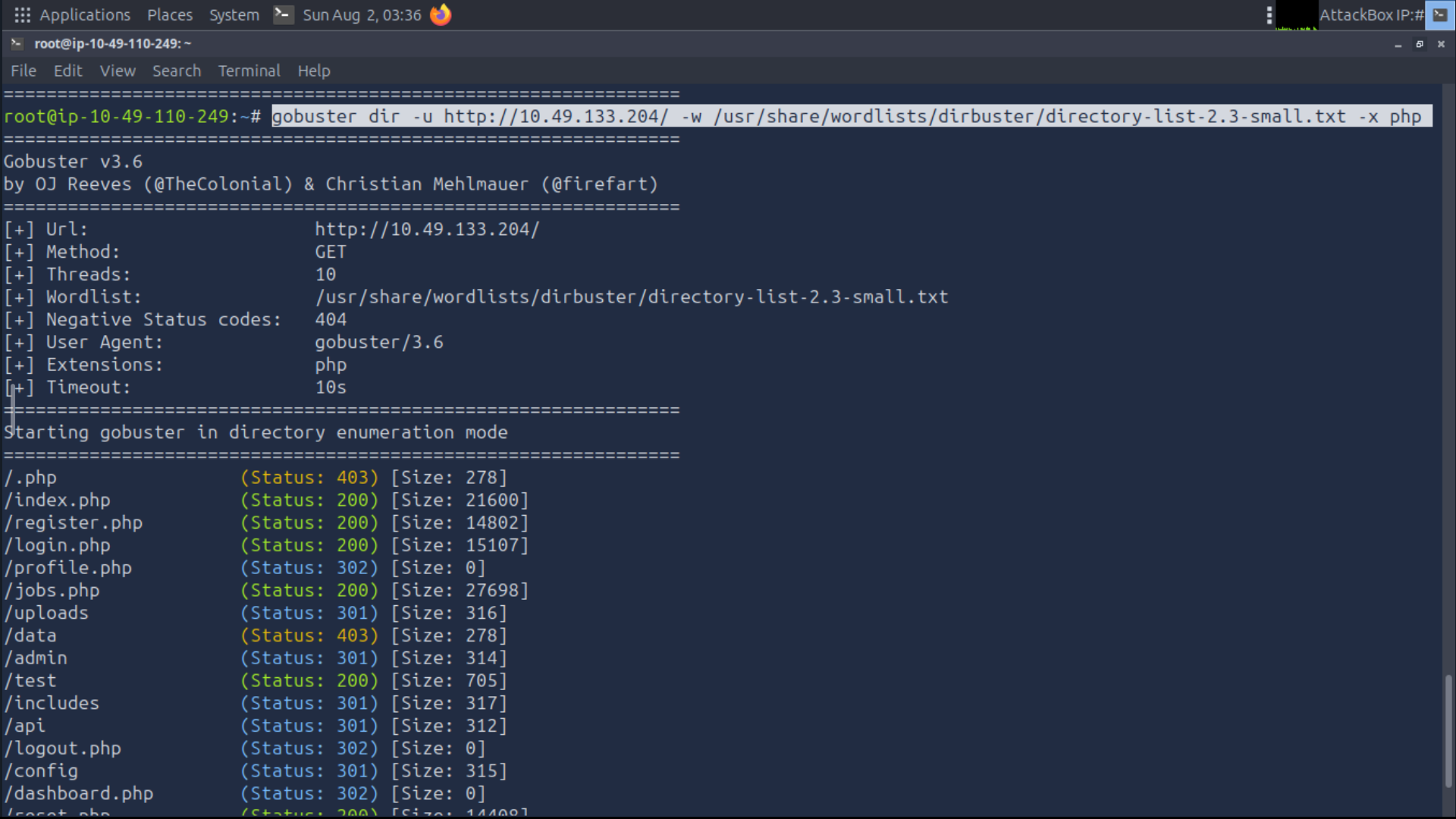
Next, hidden directories and files were enumerated using Gobuster.
gobuster dir -u http://<TARGET_URL> -w <WORDLIST> -x php
Interesting findings included:
/admin/api/reset.php/uploads/profile.php/dashboard.php
These endpoints aren't immediately visible through the application's navigation and often contain functionality worth investigating.
Screenshot: Gobuster Output
Step 7: Logging In
The room provides valid user credentials.
Username: testuser@fake.thm
Password: Password123
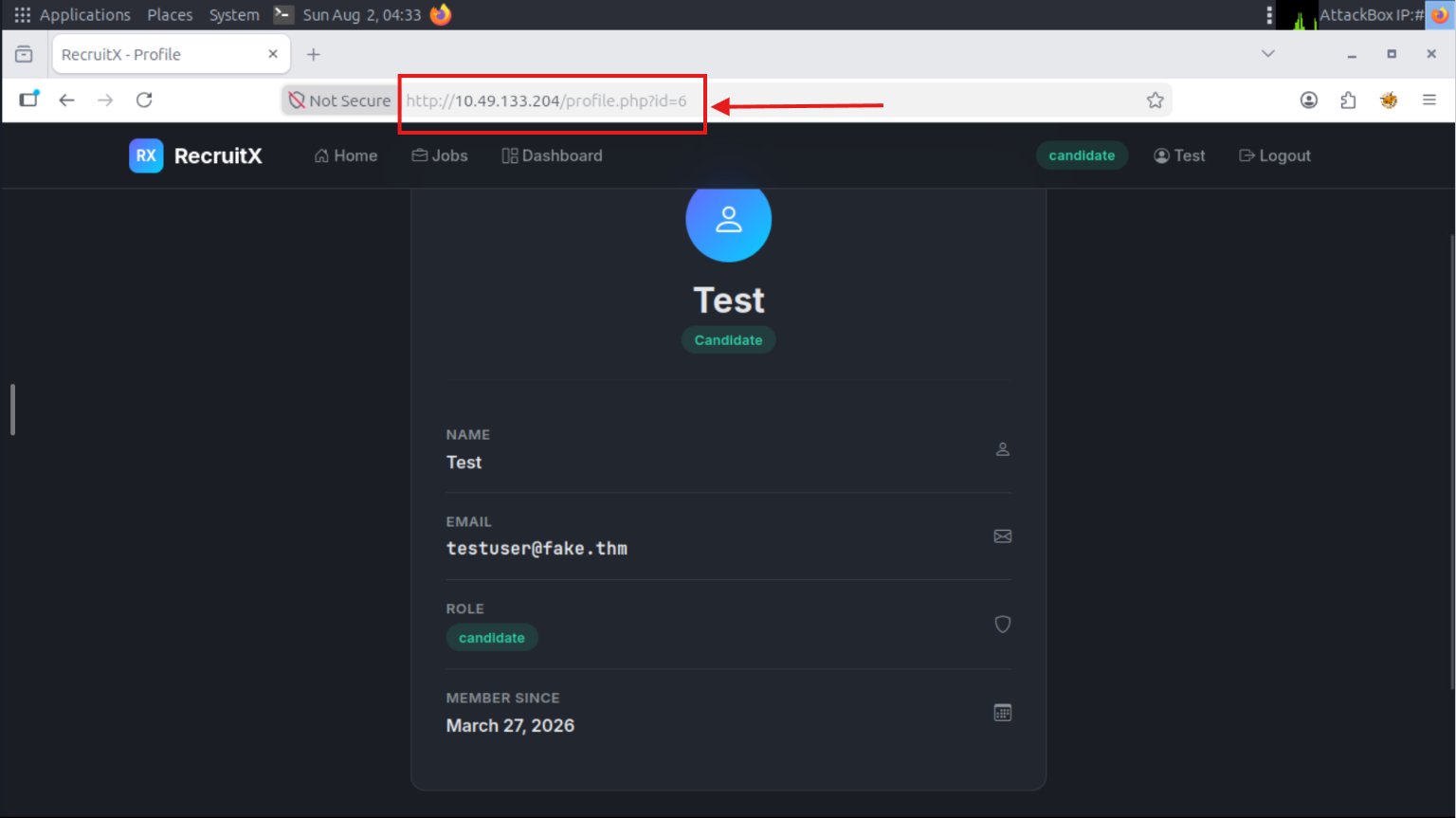
After authentication, the profile page reveals an interesting URL:
profile.php?id=6
Seeing a predictable numeric identifier immediately raises the question:
Can this parameter be manipulated?
Screenshot: Profile URL
Step 8: Investigating the API
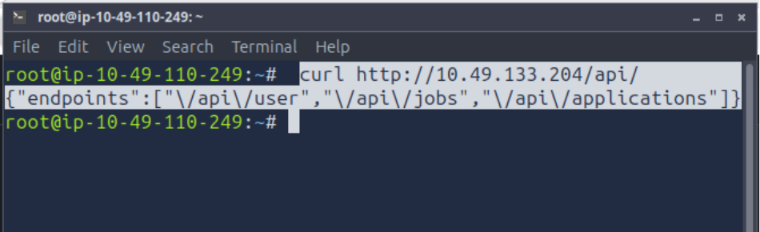
Since Gobuster identified an /api endpoint, it was queried directly.
curl http://<TARGET_IP>/api
The endpoint exposes internal API routes without requiring authentication.
While this doesn't immediately compromise the application, it leaks useful information about its internal structure and available functionality.
This is a classic example of "information disclosure," where unnecessary details are exposed to unauthenticated users.
Screenshot: API Response
Step 9: Discovering an IDOR
The profile page uses the following URL format:
profile.php?id=6
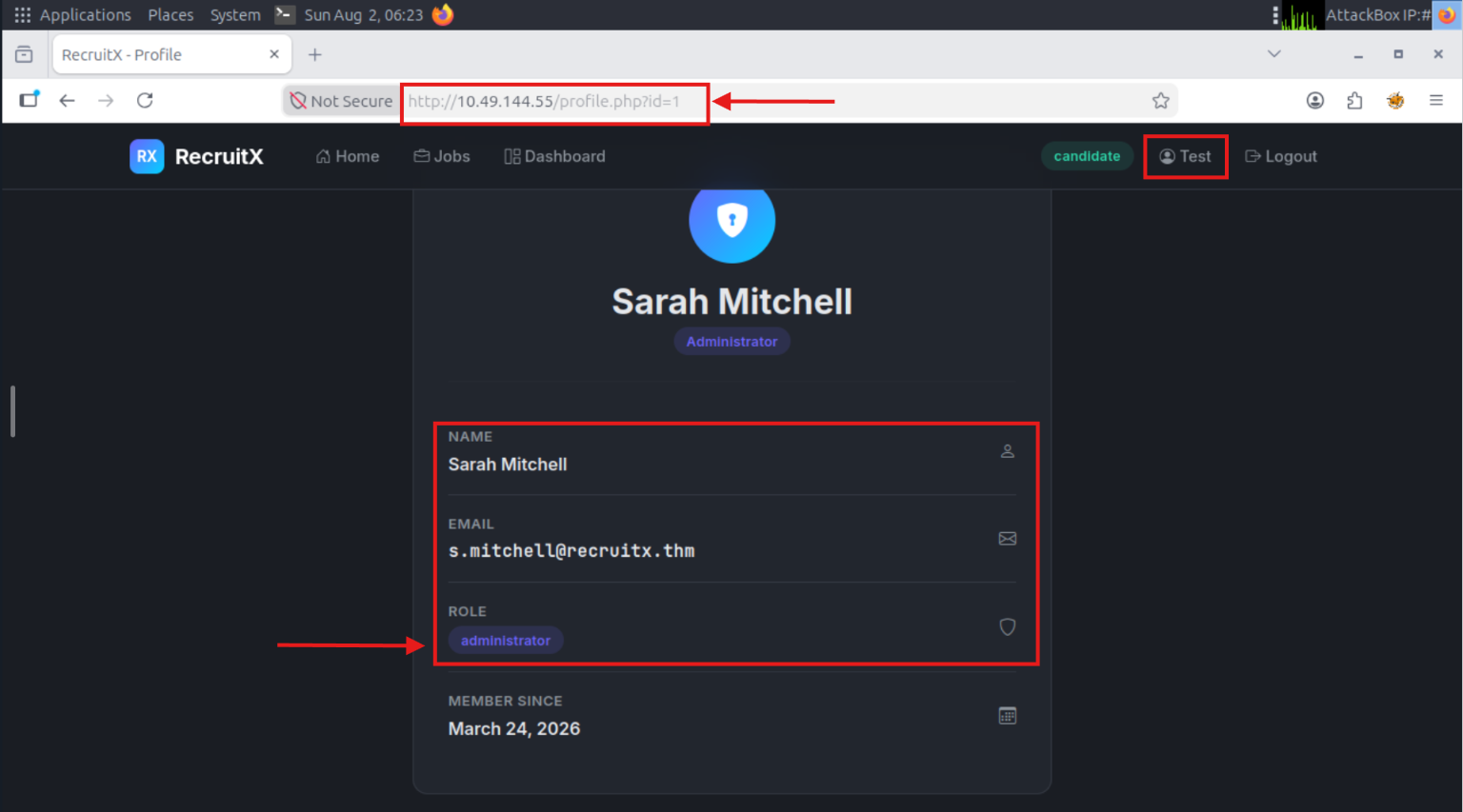
Changing the numeric identifier to another value:
profile.php?id=1
returned another user's profile instead of denying access.
This behavior demonstrates an Insecure Direct Object Reference (IDOR).
The application verifies that the user is authenticated, but it does not verify whether that user is authorized to access the requested resource.
Screenshot: Administrator Profile
What's Coming Next
The remaining sections of the room build upon these findings and demonstrate how multiple vulnerabilities can be chained together to achieve full compromise.
Upcoming topics include:
🔒 Weak Password Reset
👑 Admin Panel Access
💻 Remote Code Execution (RCE)
⛓️ Chaining Vulnerabilities into a Complete Attack Path
📝 Final Lessons & Defensive Recommendations
I'll update this write-up after completing the remaining tasks.
🎯 Key Takeaway
A successful pentest isn't about finding one big vulnerability. It's about connecting small clues into one complete attack path.
In this lab, recon exposed the stack, Gobuster uncovered hidden endpoints, the API leaked information, and a simple parameter change revealed an IDOR. Individually, they're just findings. Together, they're the beginning of a compromise.
But the story doesn't end here...
In Part 2, we'll chain these discoveries into:
Weak Password Reset → Admin Panel Access → Remote Code Execution → Full Server Compromise.
Thanks for reading! 👋
Every lab is an opportunity to sharpen your mindset, not just your toolset.
Stay tuned with #HackWithRudra, where we don't just run tools, we understand how they work. Our goal isn't to become script kiddies, it's to grow into Ethical Hackers and Offensive Security Professionals. 🛡️🚀
See you in Part 2!